Crosshair design studio
Cross Boss
Your sight. Your style. Your call.
Your sight. Your style. Your call. Build your signature crosshair with 441 sight options, live controls, interactive practice scenes, and saved presets.
Published · In Microsoft Store · Product ID 9PH1ZNFH9SM9
The current Microsoft Store listing
What you can do.
Your Sight. Your Style. Your Call.
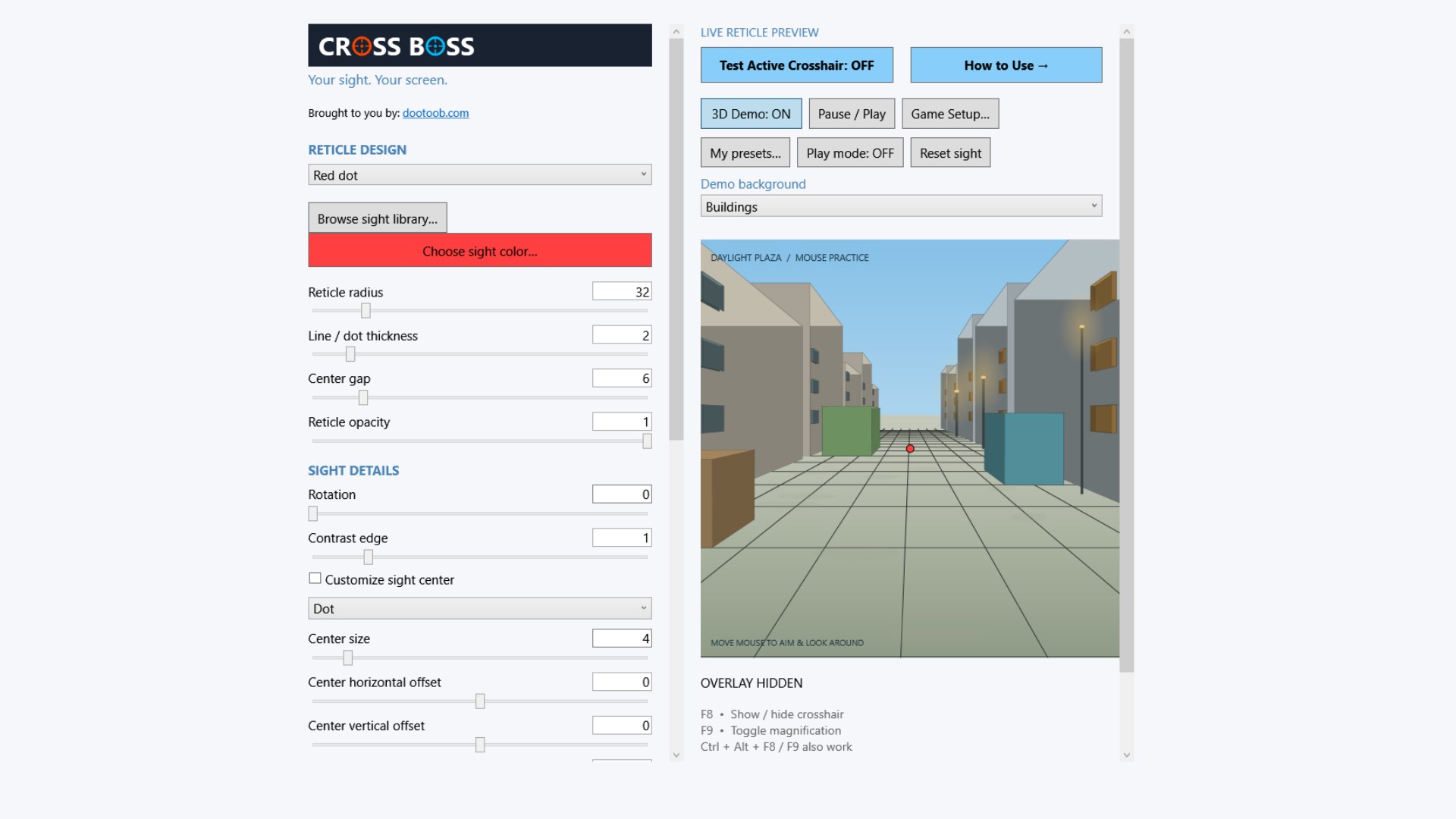
Build the crosshair you want to see. CROSS BOSS brings 441 selectable sights, live customization, and interactive practice scenes into one Windows desktop studio. Start with a clean red dot. Go bold with a detailed optic-style design. Tune every detail until the view feels yours.
441 Sights. One Signature Look.
Explore nine classics and 72 original sight families, each with six tuning variants. Crosses, chevrons, horseshoes, brackets, grids, and more give you room to experiment. Browse visual cards, search by family, or open the complete 72-family overview to compare your options at a glance.
Dial In The Details.
Change radius, thickness, gap, opacity, rotation, and contrast edges while the preview updates live. Build your center marker with six shapes and independent color, size, opacity, and position. Choose colors with swatches and RGB controls. Import a custom image. Export your sight as a transparent PNG.
Step Into The Practice Scene.
Move your mouse to explore an original simulated environment. Check your sight against buildings, line up on static targets, or follow moving practice figures. The mouse cursor disappears inside the active demo so your sight takes center stage. Try optional magnification when you want a closer view, and keep normal sights at normal scale.
Build Your Loadout.
Save named presets, mark favorites, search your collection, and switch designs without restarting. Portable preset files can carry your custom image with them. Automatic local saving and backup recovery help keep your setup ready for your next session.
Control At Your Fingertips.
F8 shows or hides the floating sight. F9 toggles optional magnification, even when the app is minimized. Ctrl + Alt + F8/F9 provide alternative shortcuts. Select a monitor or game window, adjust offsets, follow the pointer, or hide the sight while holding the right mouse button. Window centering follows movement and resizing.
The Guide Stays With You.
Keep the controls and live preview in view while the right-side flyout opens your illustrated guide, sight library, presets, game setup, and colors. Learn through step-by-step examples, enlarge the guide, and see every selectable sight. A clear light-mode interface puts your design in focus.
Ready For Your Setup.
Designed for Windows desktop overlays and compatible games in windowed or borderless mode. Exclusive fullscreen and compatibility with every game or anti-cheat system are not guaranteed; check your game's overlay rules. CROSS BOSS does not automate aiming, modify game files, or bypass anti-cheat. Magnification enlarges pixels, and sight markings are visual designs rather than calibrated ballistic measurements. Practice scenes are original simulated artwork.
Make your mark with CROSS BOSS.
Brought to you by dootoob.com.
How to use
From opening the app to a useful result.
- 1
Choose a sight style and tune its size, thickness, gap and colors.
- 2
Preview it against the included practice scenes.
- 3
Save useful presets and switch between them as needed.
- 4
Keep game rules and anti-cheat requirements in mind before using an overlay.
See it before you get it
Explore the app.
All 9 screenshots from the current Store listing. Select any image for the full-size original.
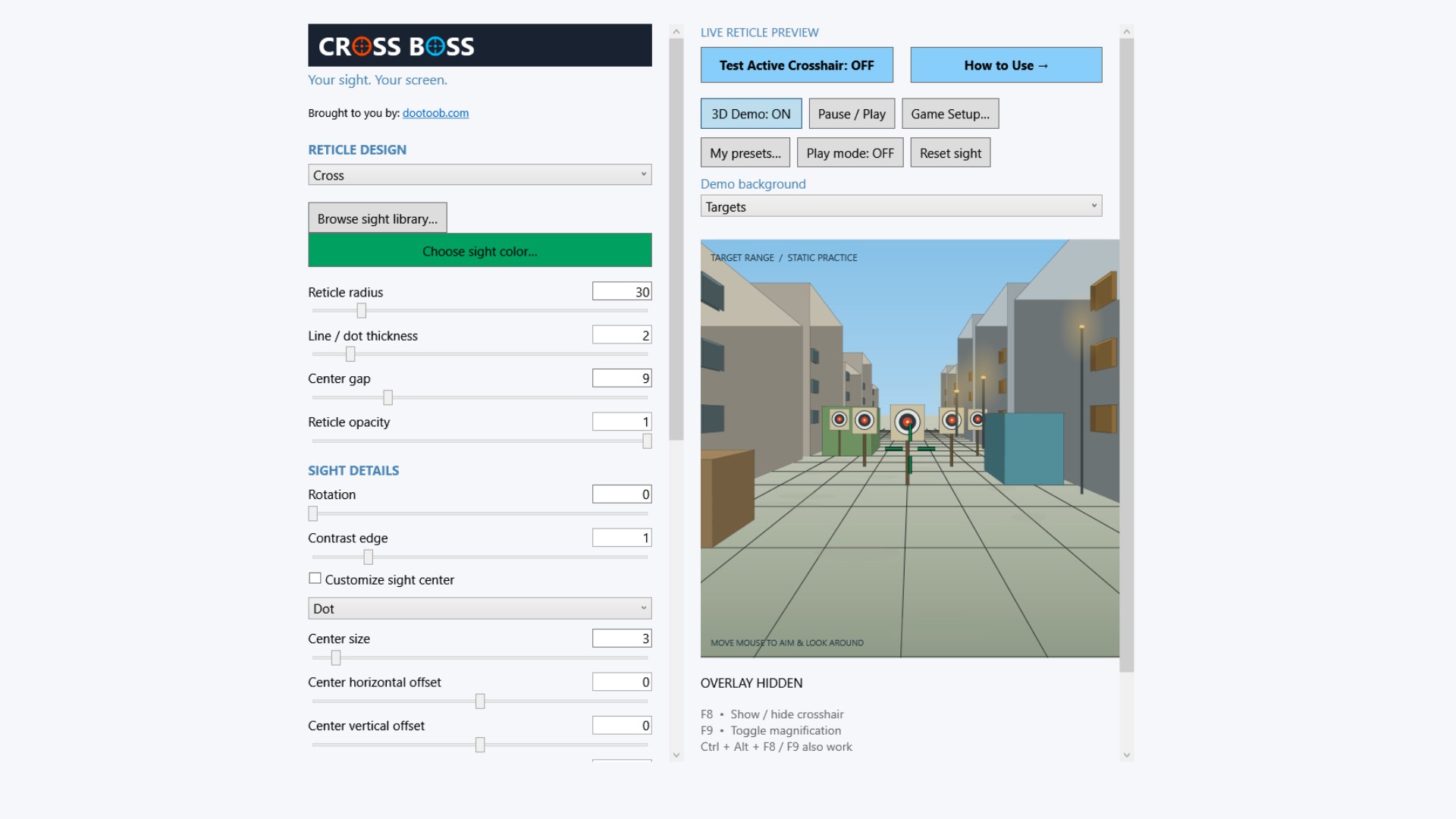
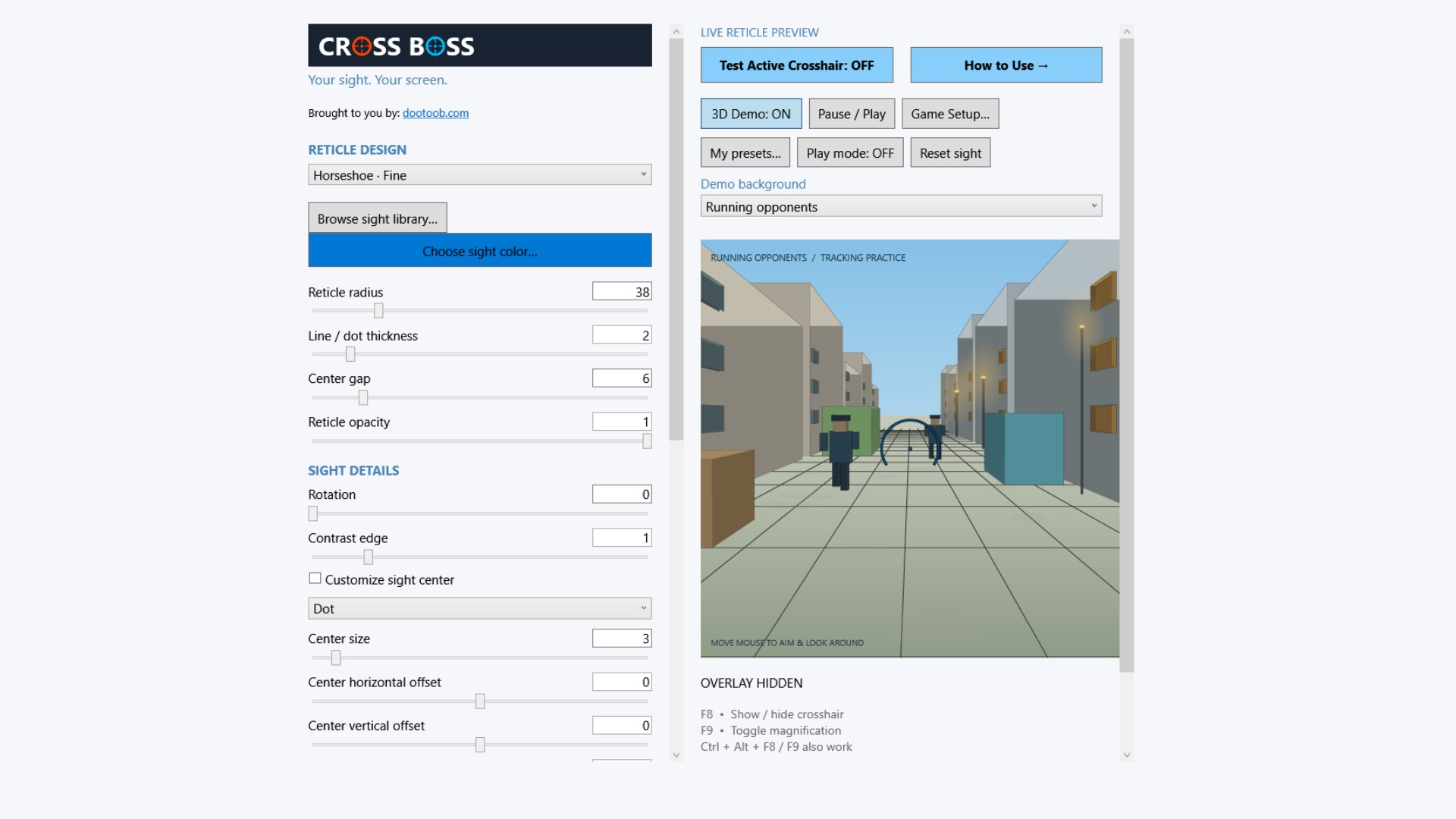

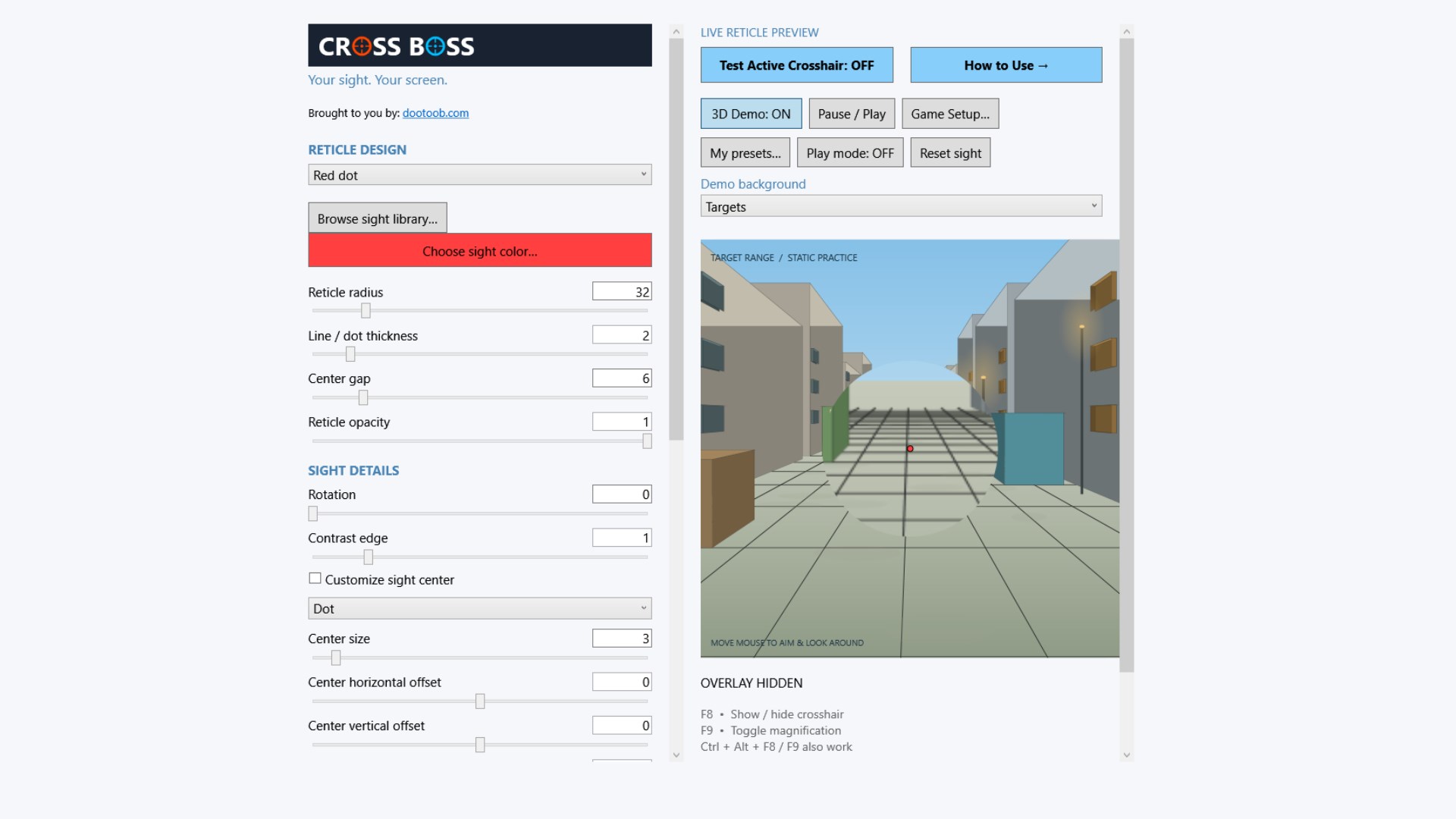
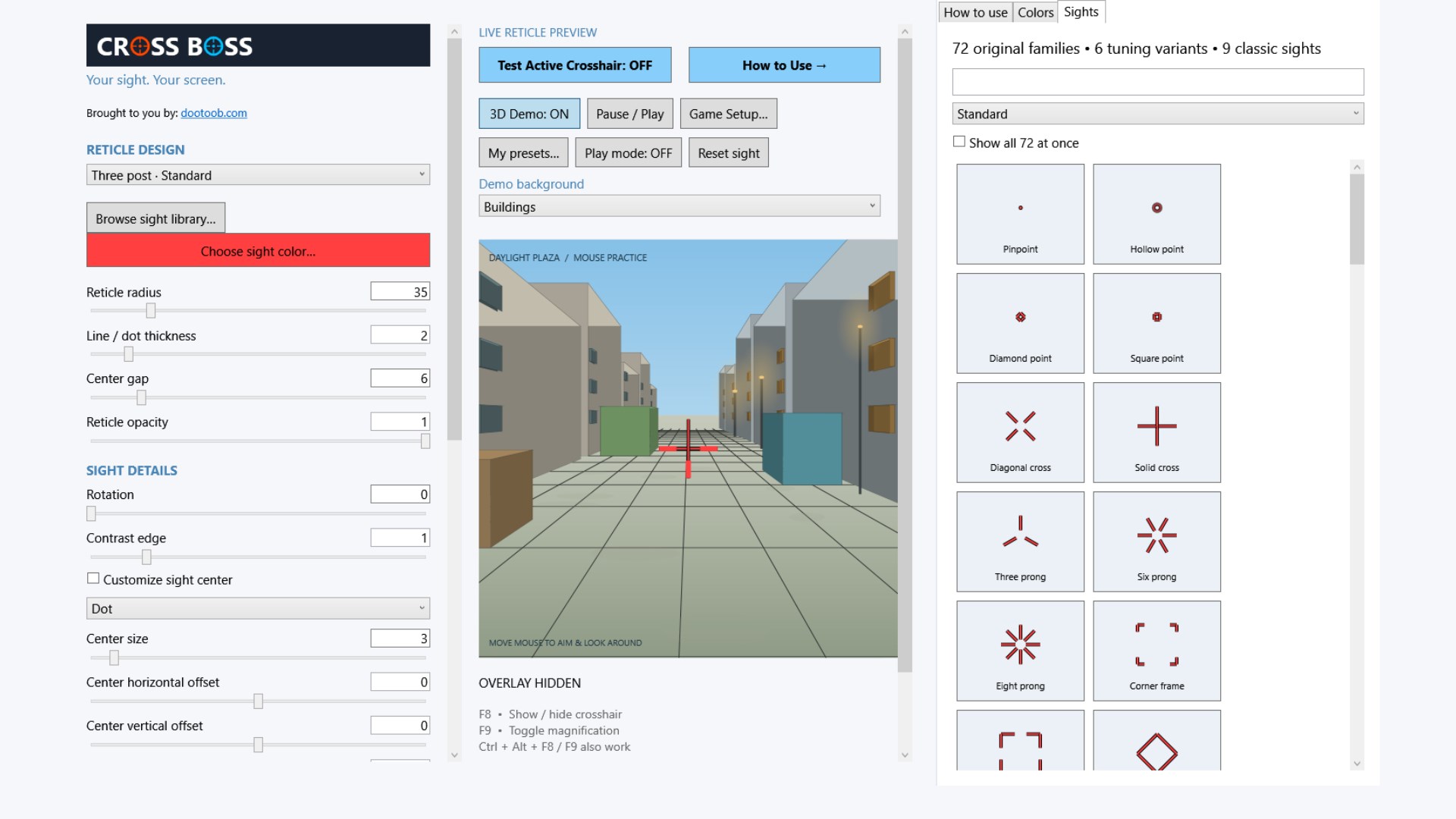


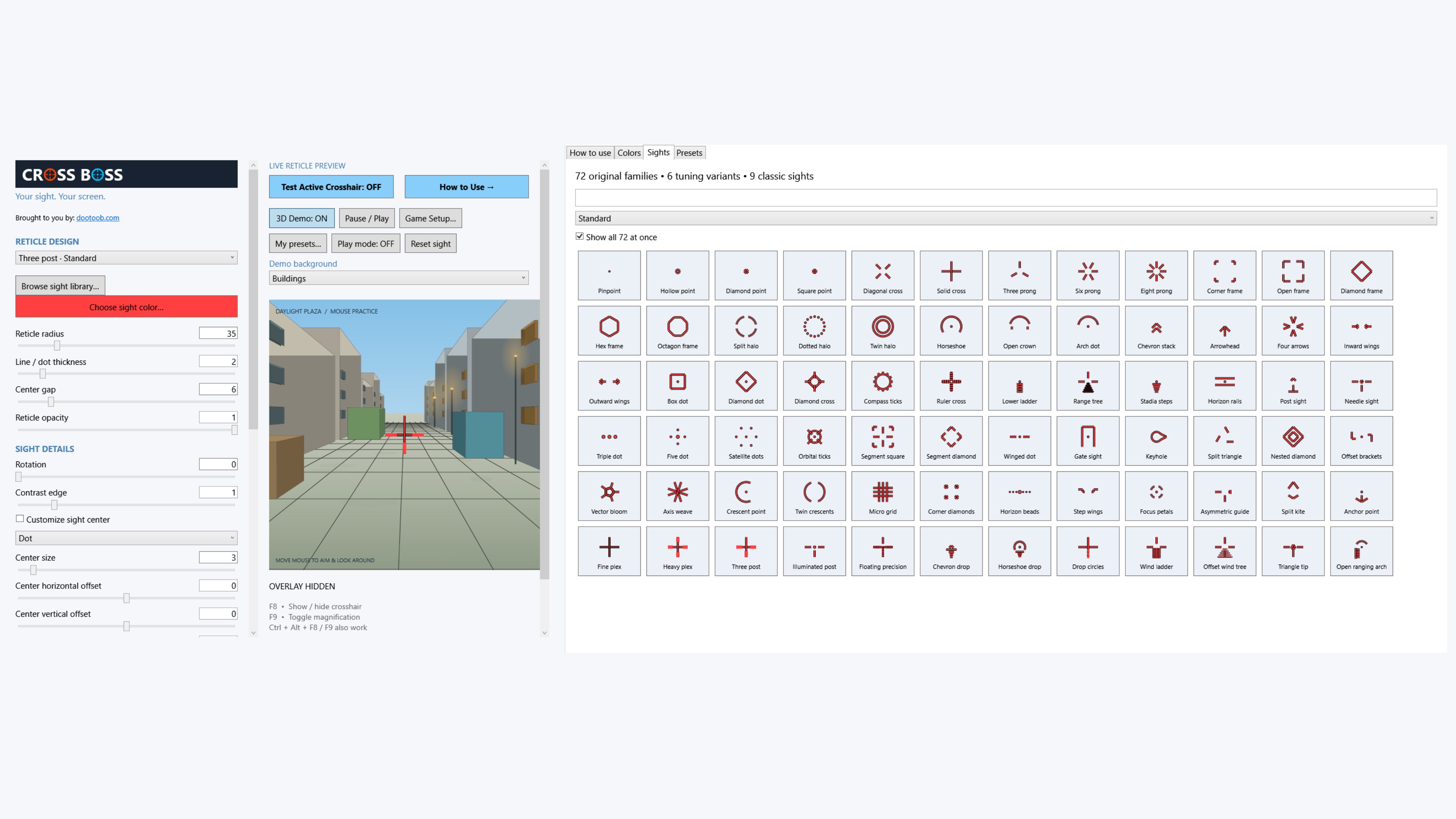
Open the Microsoft Store listing to see the current price, trial options, system requirements and reviews.
Your purchase and installation are handled by Microsoft Store.
App details.
Publisher: Team2020. Availability, requirements and purchase options are shown on the live Microsoft Store page.
App information and screenshots checked against the public Store listing on October 20, 2026.
Read the full Store listing ↗ · Privacy informationCross Boss
Your sight. Your style. Your call.
Get it in Microsoft Store ↗← Explore all Microsoft appsMore from DooToob